Adding A Subscription
To subscribe to Event Notifications in PackNet:
Go to the Event Notifications page (as described in the Access Event Notifications section).
Select Add New.
A New Event Notification dialog will be displayed.
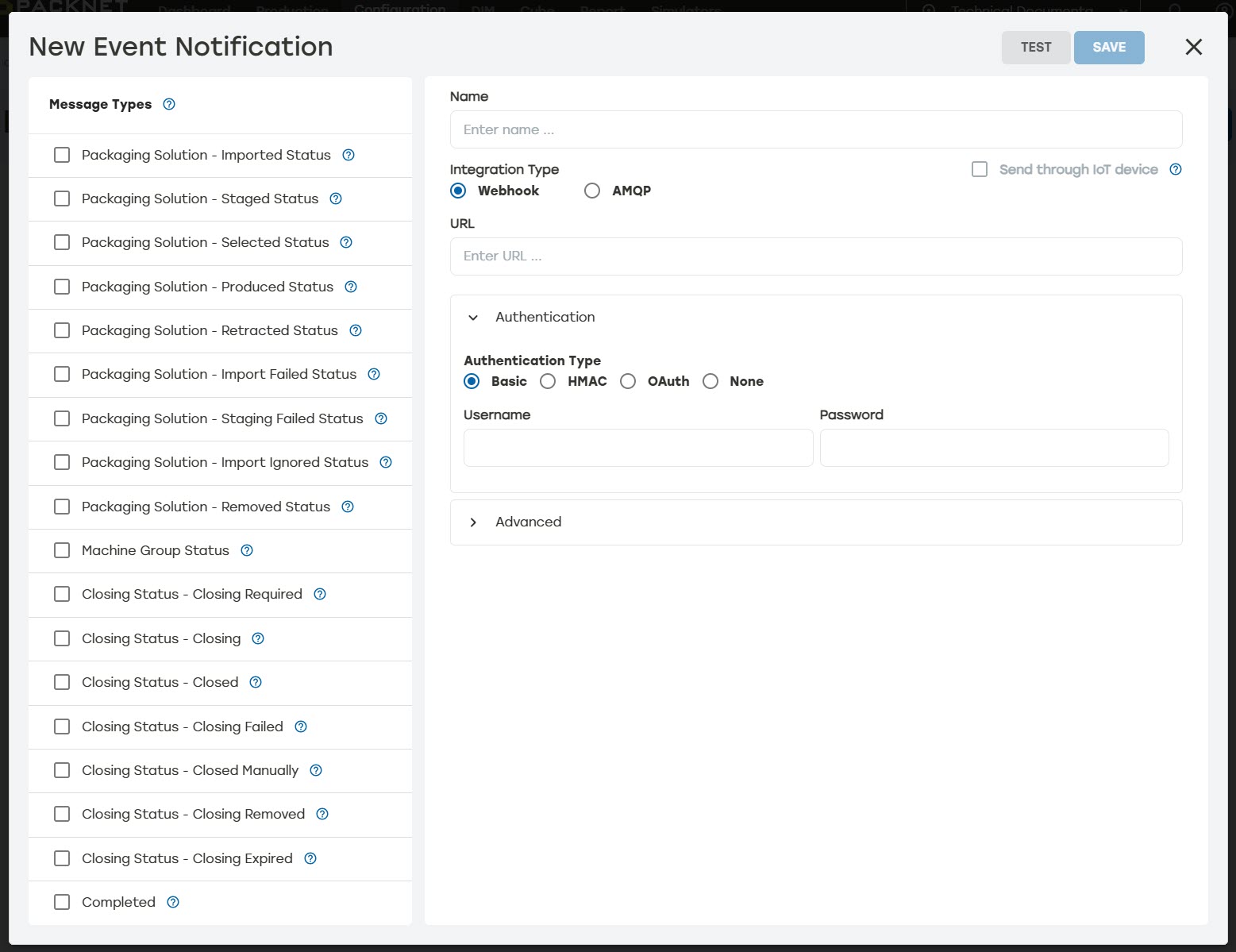
Select one or more Message Types to be notified about.
Enter a Name for the notification.
Select either AMQP or Webhook for the Integration Type.
Enter settings required for the selected integration type (described under Integration Types).
Select Advanced, and then select a reasonable amount of time for Message Expires After (Seconds). This is the maximum amount of time that will be spent trying to send a message before moving to the next one.
When desired, enter the field to be excluded, and then select +.
When desired, select Add Headers. Enter the name and value for the header.
Select Test. Event Notifications must be tested before saving.
Select Save.