Secure Print
Secure Print allows PackNet to accept sensitive information intended to be used for label data and keep it secure. In order to adhere to multiple data protection and security requirements, Secure Print addresses the following security concerns regarding labels:
Secured storage of the data while in PackNet:
Sensitive data that is saved to the database is encrypted at rest using AES-256 encryption.
Limited data retention:
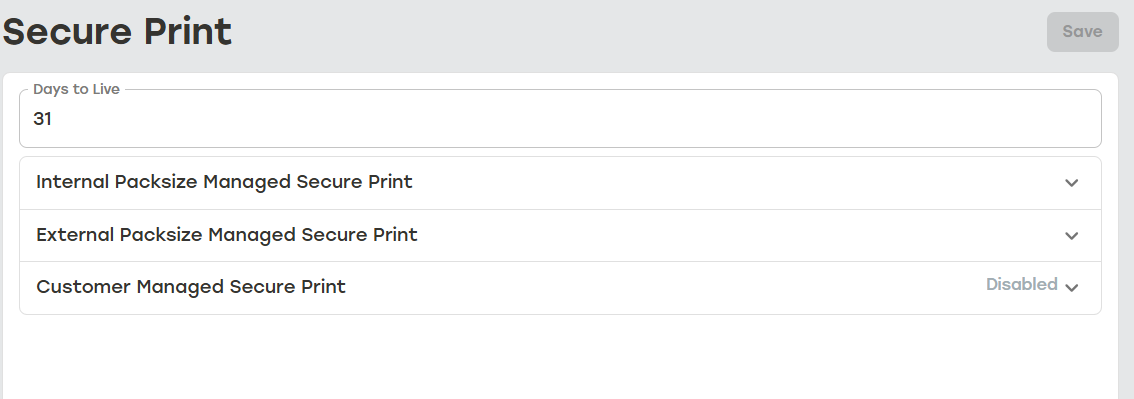
Sensitive data that is saved to the database is only stored for a maximum of 31 days, but that number can be shortened by the user by adjusting the Days to Live setting in Configuration > Secure Print.
No logging of sensitive data:
Users can define what data elements are sensitive and will not be included in PackNet Software Platform logging.
Isolated data:
Label data is isolated to critical PackNet services necessary for production.
 |
PackNet offers three types of Secure Print:
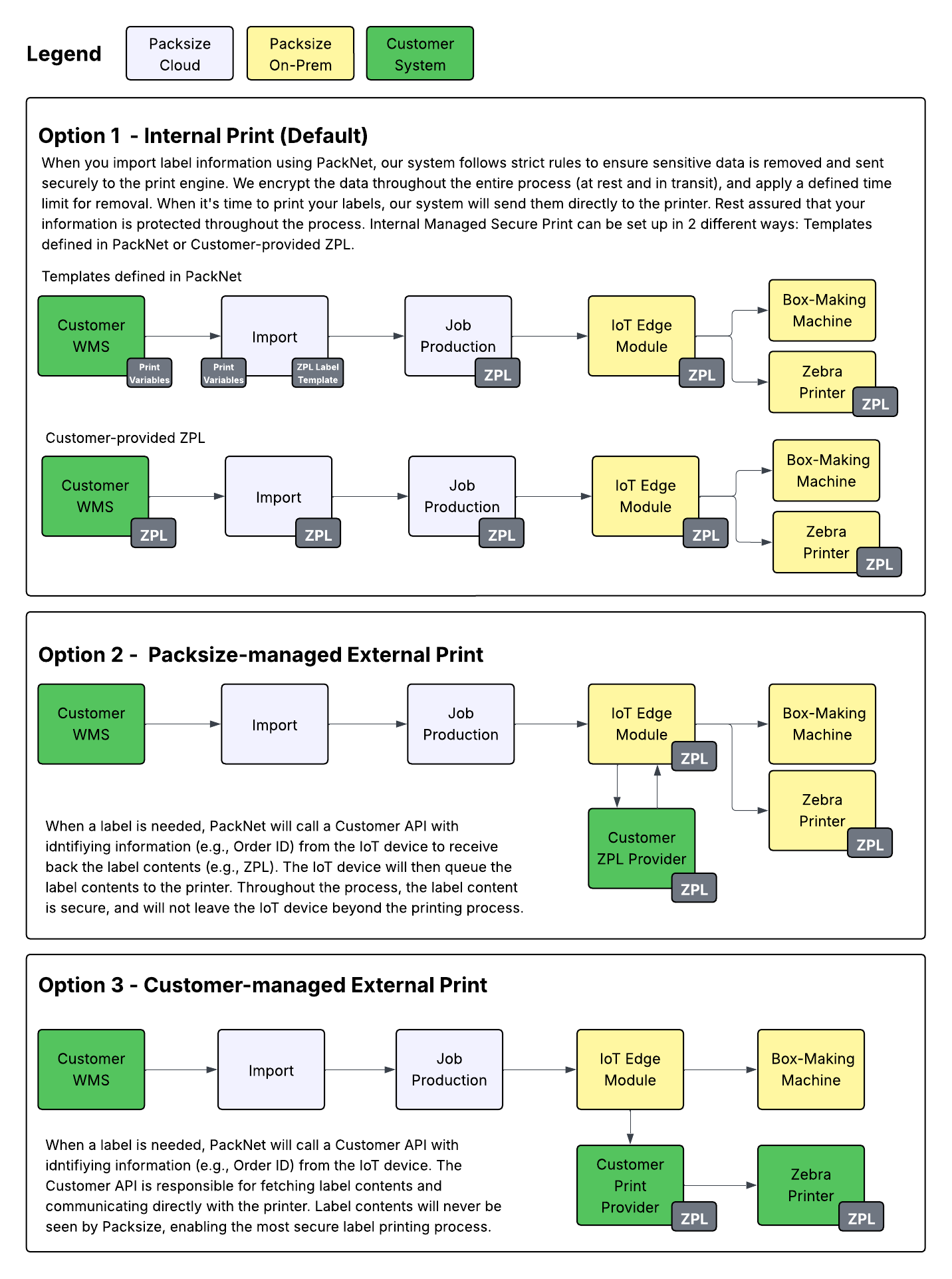
Internal Packsize Managed Secure Print: The label data is sent to Import. Import sends the label data to Secure Print where it is encrypted and stored with the Days to Live setting. The label data has a limited footprint in PackNet and is only present in Import service, Secure Print service, and the machine.
External Packsize Managed Secure Print: The label data is never sent to PackNet. When needed, the machine sends an HTTP request to the customer system where the label data is provided in the response. The label data does not persist and never leaves the machine.
Customer Managed Secure Print: The label data is never sent to PackNet. When needed, the machine sends an HTTP request to the customer system. The customer system then sends the label data directly to the printer.
External Packsize Managed Secure Print and Customer Managed Secure Print both require integration with a customer owned API.
For all three types of Secure Print, the label data is never logged. Jobs are only re-producable within the time frame specified by the Secure Print Days to Live configuration in PackNet.
Note
X7, LidPro X, and CVP Range machines are not compatible with Customer Managed External Print as the ZPL is sent to to the PLC instead of the printer for these machines.
Data Flow for Three Types of Secure Print
 |