Required First Time Configuration
Before data can be imported into the dimensioning database, the customer will first need to be configured. When these steps are not performed, a 400 response with the message: Tenant Configuration Not Found will be prompted.
The system needs to know what the customer’s primary identifier is. There is not a default product ID.
Depicted below is the Configuration Attributes page located under the Dimensions tab. Perform the following steps to set up dimensioning in PackNet:
Log into PackNet.
Select the Dim tab.
Navigate to Configuration, then Attributes.
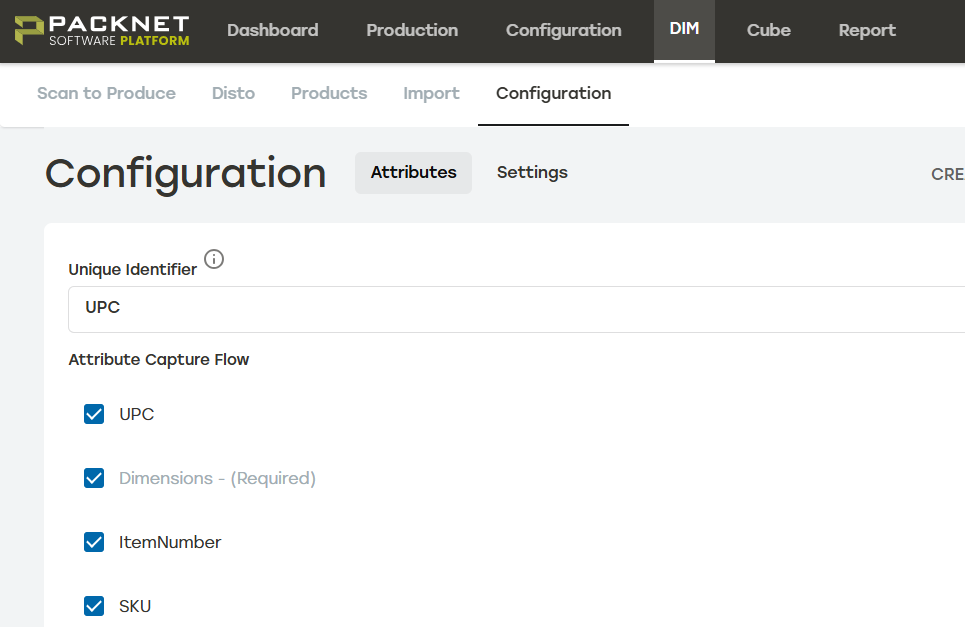
Select a Unique Identifier.
Select applicable properties under Attribute Capture Flow.
Select Save.
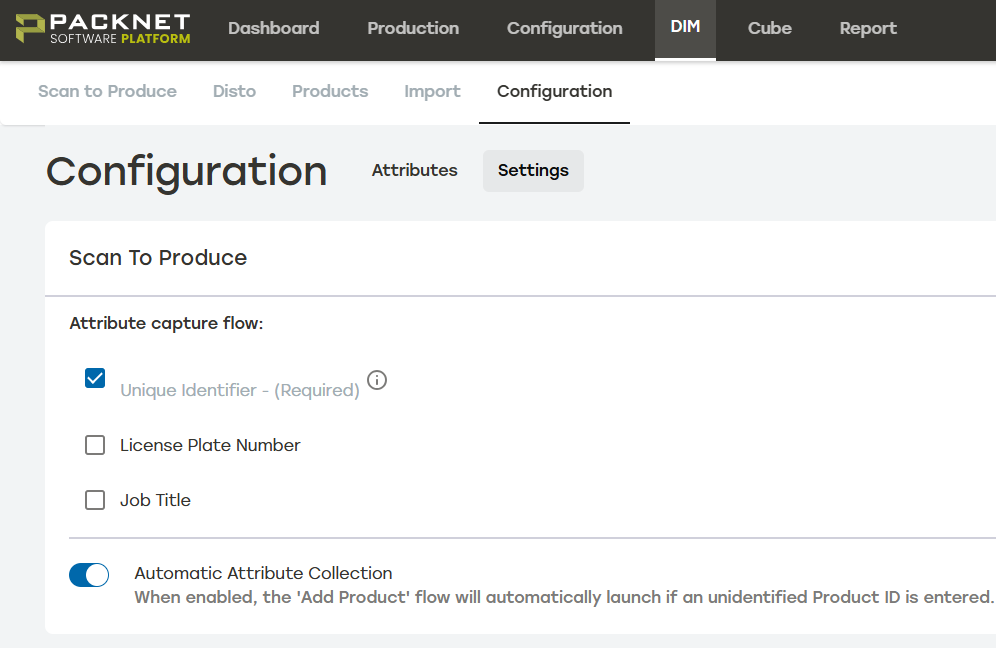
Select Settings, located next to attributes. Under Scan To Produce, update Attribute capture flow and save again.
Note
Changing settings can be performed at any time. Ability to perform search and updates may be affected.