Trim
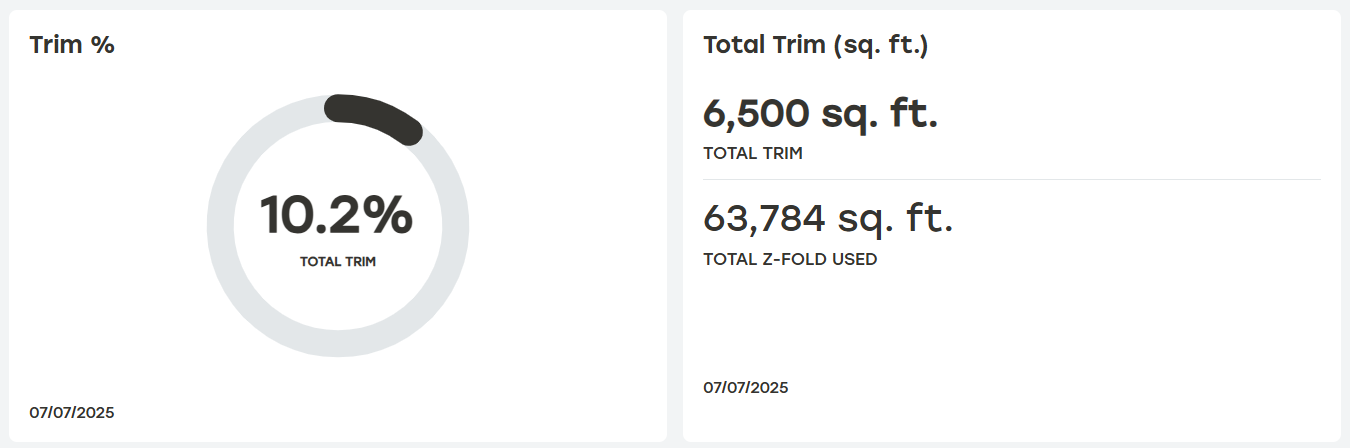
Trim is the z-Fold waste to the left or right of the cut carton that always exists (no such thing as zero trim). In other words, this is a raw cost to the customers.
Trim %
The percentage of trim per total z-Fold used in a site.
Total Trim (sq. ft.)
This card contains Total z-Fold Usage and Total Trim used in a site.
 |
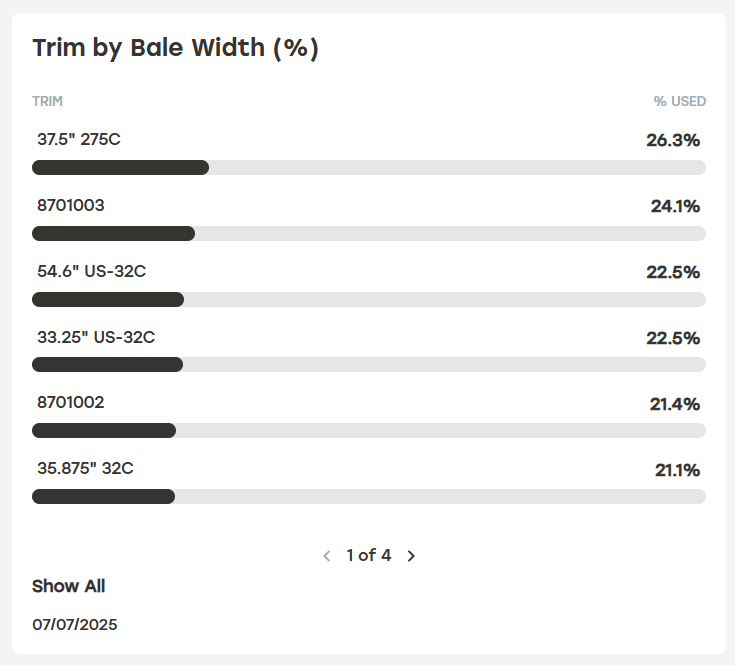
Trim by Bale Width (%)
This card shows a bar that displays the trim percentage for a given bale width.
 |
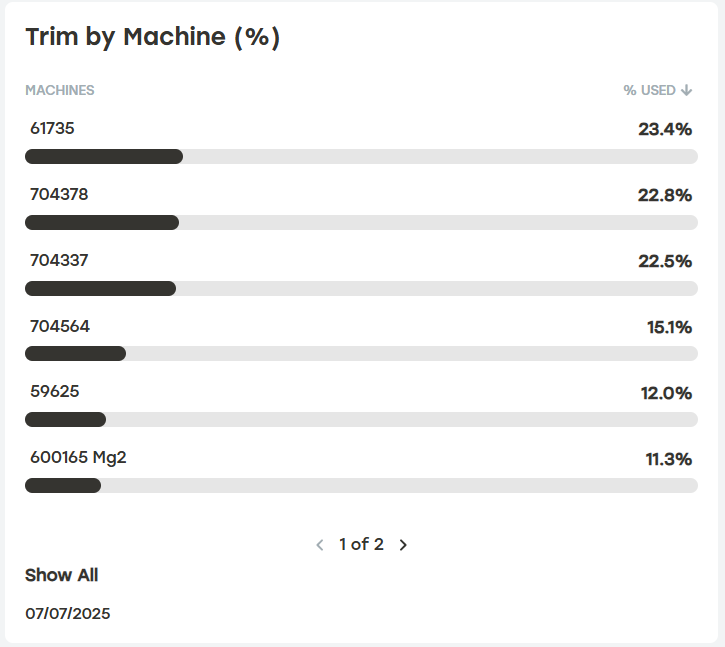
Trim by Machine Percentage (%)
This card shows a bar that displays the trim percentage for a given machine.
 |
Trim by Machine (%)
This card shows the graph that displays the trim percentage for a given machine or combination of machines over a specified time. Selecting the download icon will download a CSV file of this chart.
 |
Excluding Built-in Packaging Waste
Customers can exclude built-in packaging waste from their trim reporting. When enabled, extra material built into the packaging design is excluded from the trim calculations and is not counted as waster material. Users will need the proper permissions to enable this feature. This setting is applied to the entire tenant.
Select the settings icon at the top of the Trim page.
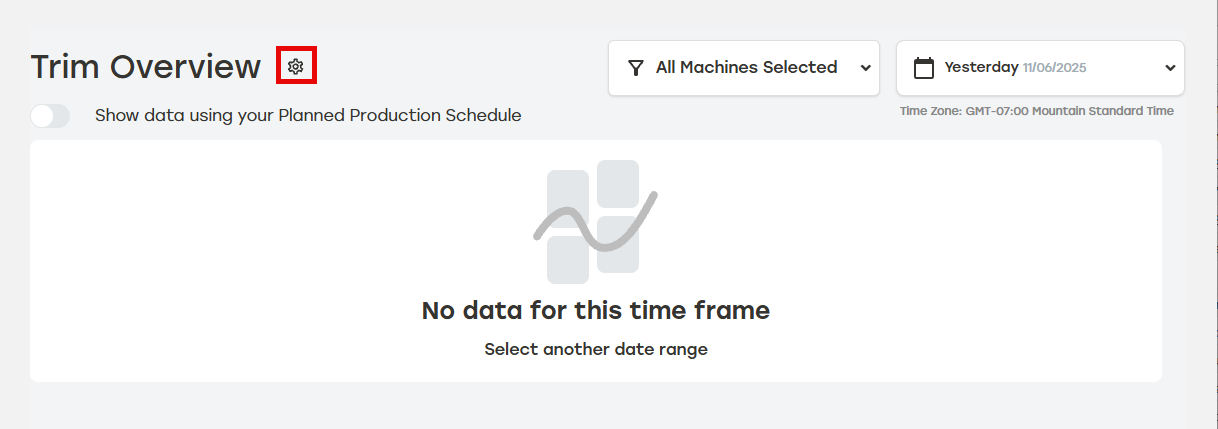
Select Exclude built-in packaging waste. This will turn this feature on for the entire tenant.

Select Save.