View Item Details
On the Search page, make a search.
Select Details to the right of the desired entry. The Details page will open.
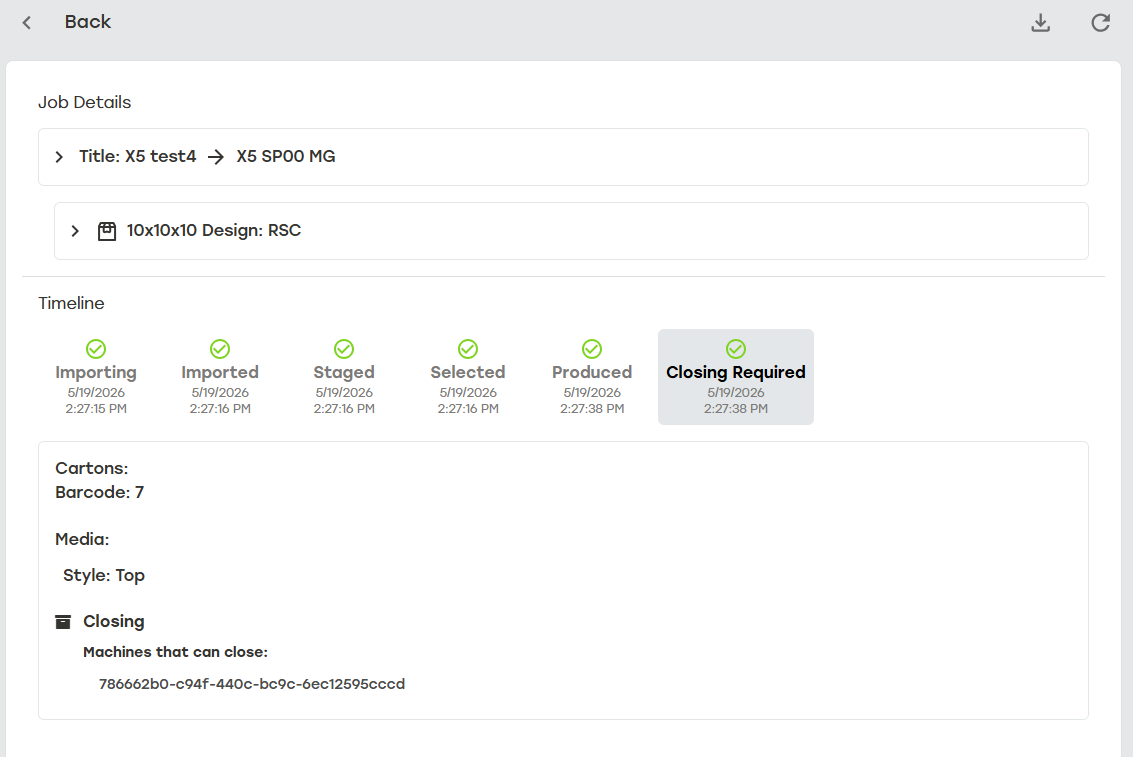
Select download button
 to download raw audit data.
Select refresh button
 to refresh job detail information.
Select the arrow icon
 next to items in Job Details for more information.
Title: Displays details for any General information or Attributes related to the entry.
Design: Displays details for any General information, Attributes, or Carton Previews related to the entry.
Select an event on the Timeline to review detailed information related to that event.
Note
Job headers that don't match the headers listed in Import Selection will be ignored and not imported. When a job import fails due to ignored headers, a warning in the detailed information will indicate which headers were not used.
Select Back to search to return to the search results.