Stop Reasons
Stop Reasons display the reasons a machine is not producing work. When a machine is in a stopped state, it does not automatically mean there has been an error. Stop Reasons also take into account time when the machine was stopped due to not having product to process. Users will know this is the case when the machine is online without any other errors, but no work is being processed. Users should use Stop Reasons in combination with other Report metrics to see the full picture of machine operation.
Note
This feature is only available on X7 machines with the latest PLC version.
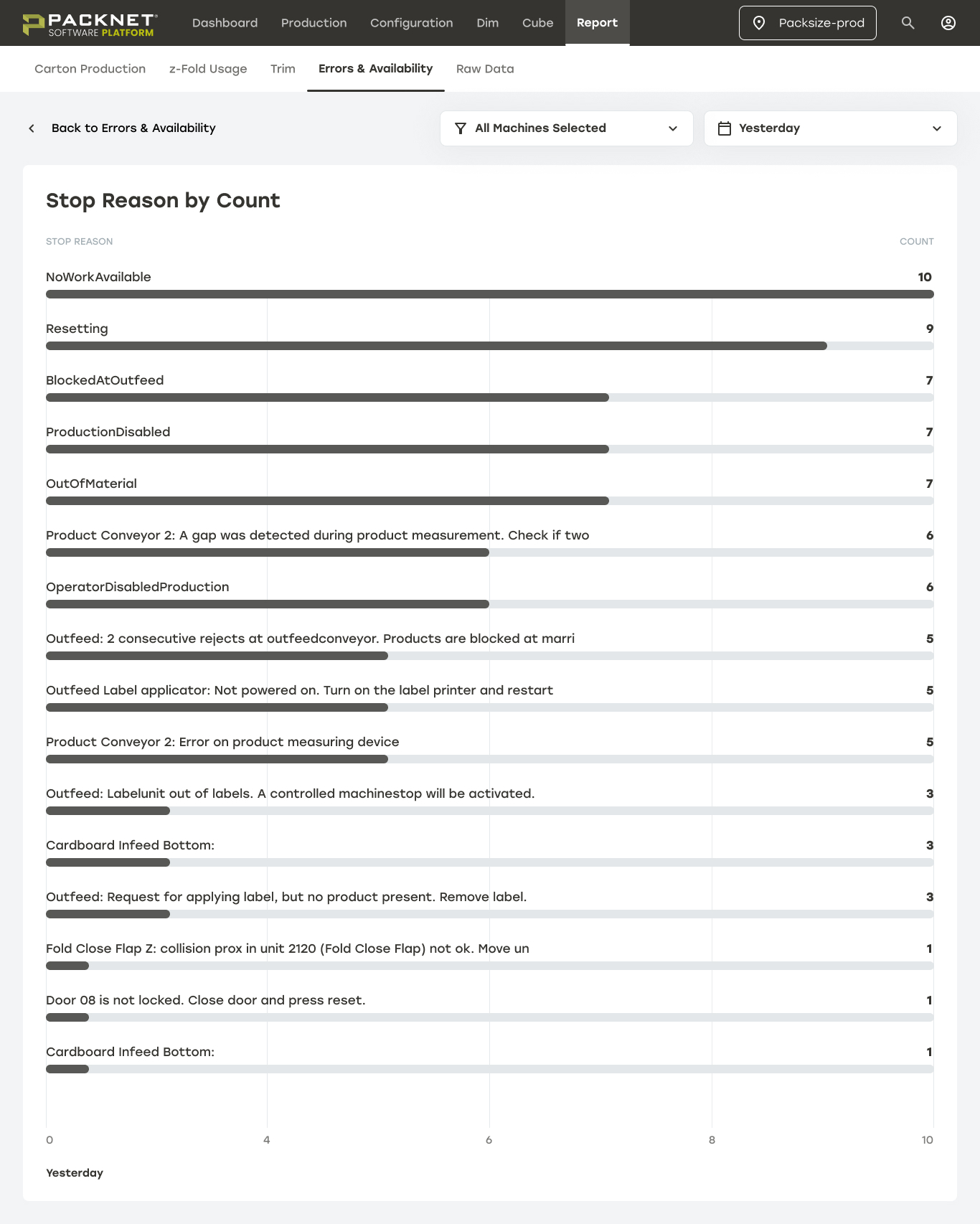
Top Stop Reasons by Count
This card displays how many times the machine stopped for each reason. Selecting Show All will show the full list of Stop Reasons.
 |
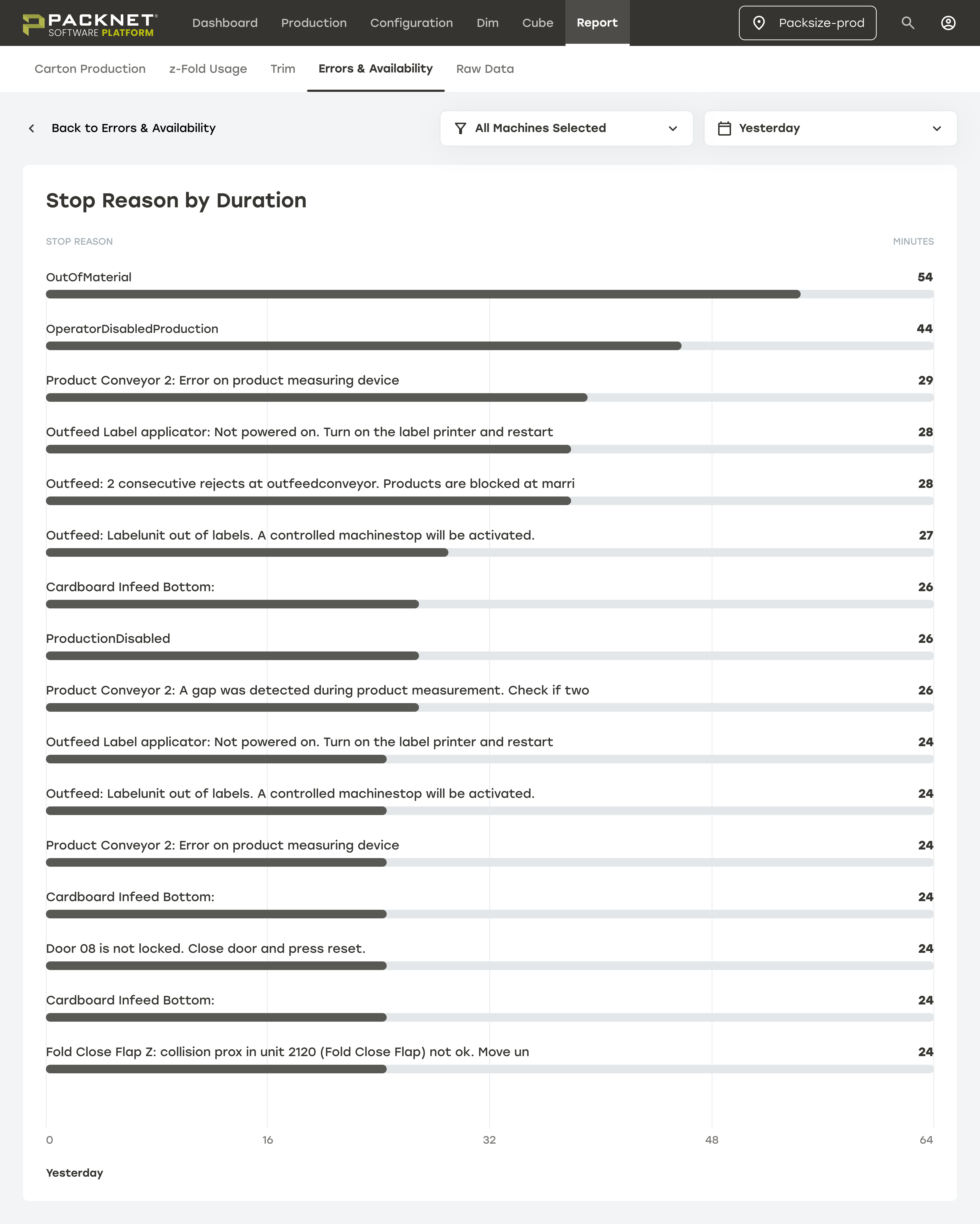
Top Stop Reasons by Duration
This card displays how long the machine stopped for each reason in minutes. Selecting Show All will show the full list of Stop Reasons.
 |