PackNet Core Import Data Directly Endpoint
Note
Each tenant can only import 20,000 cartons every five minutes
[POST] https://api.prod1.packnet.app/ImportPipelines/v1/ImportData
Before attempting this API, make sure the Create a Carton rule has been created.
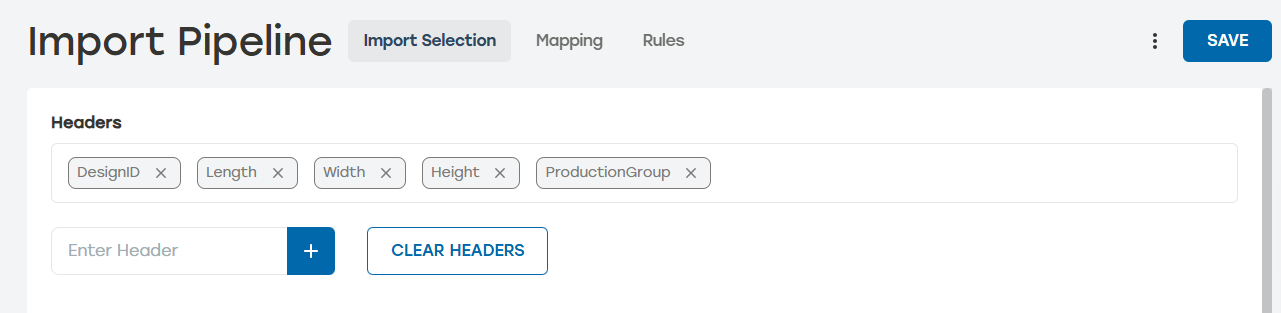
Go to Import Pipeline > Import Selection.
Create these headers:
Note
Headers are case sensitive. Make sure the case used for the headers in PackNet match the case used in the API call.
ProductionGroup
DesignID
Length
Width
Height
Go to Rules.
Select Add Rule. Enter the following information:
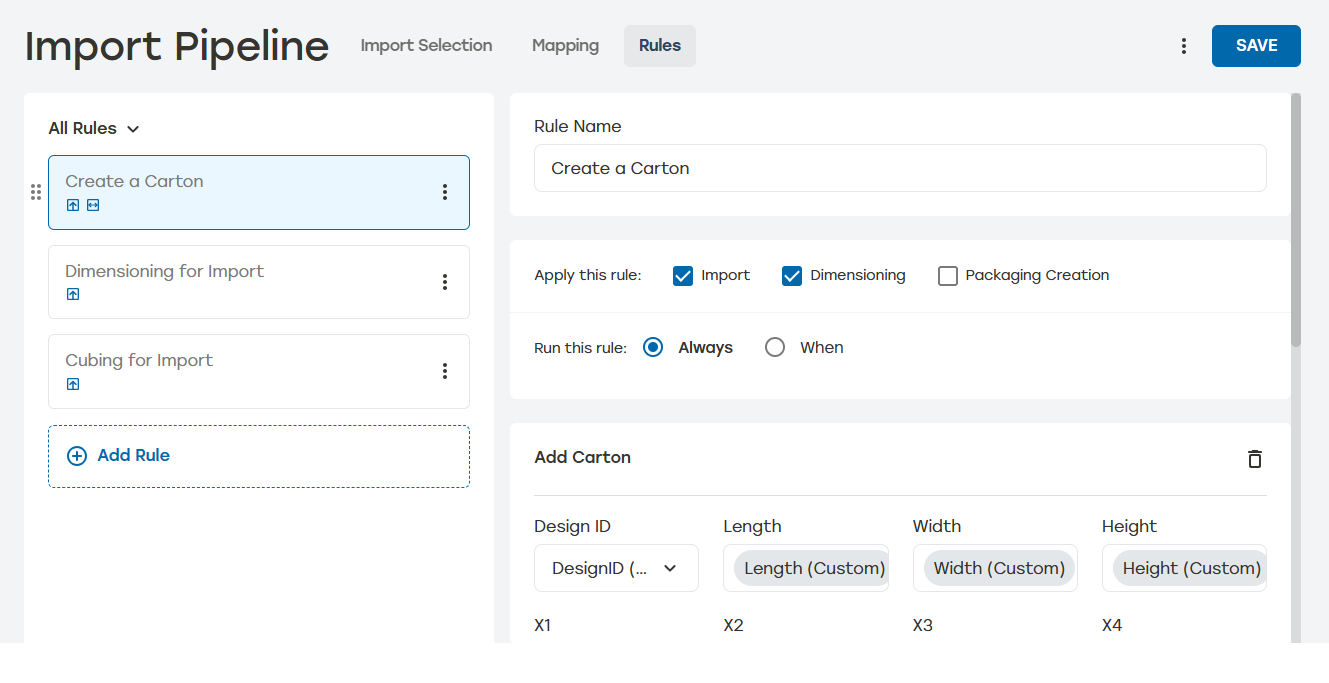
Name this rule something that easily identifies it as an API rule such as "Add a carton" or "Create a Carton."
Apply this rule: Import and Dimensioning
Run this rule: Always
Add Action: Add Carton
Design ID: DesignID (Custom)
Length: Length (Custom)
Width: Width (Custom)
Height: Height (Custom)
Select Save.
Status Codes
200 OK: Command received and processed.
400 Bad request: The request cannot be processed due to apparent client error.
401 Unauthorized: Access denied due to invalid subscription key.
403 Forbidden: The user is not allowed to make the request.
404 Not found: The requested resource cannot be found.
429 Too many requests: User exceeds 10,000 imports in a 5 minutes window.
500 Internal server error: The server does not know how to process the request.
Note
In the following example, the values and headers are placeholders. In a real request, the headers would be the headers mapped in Import Pipeline. See PackNet Core User Manual [MANUAL-00009] for more information on defining headers.
[
  {
    "ProductionGroup": "EM Basic",
    "DesignID": 2010013,
    "Length": "12",
    "Width": "10",
    "Height": "8"
  }
]
The response for this API will be the applicable status code from the list above. A 200 OK response does not necessarily mean a completed carton will result. When the proper configurations in PackNet have not been established, the API may be successfully sent to PackNet, but PackNet will fail to stage the job.
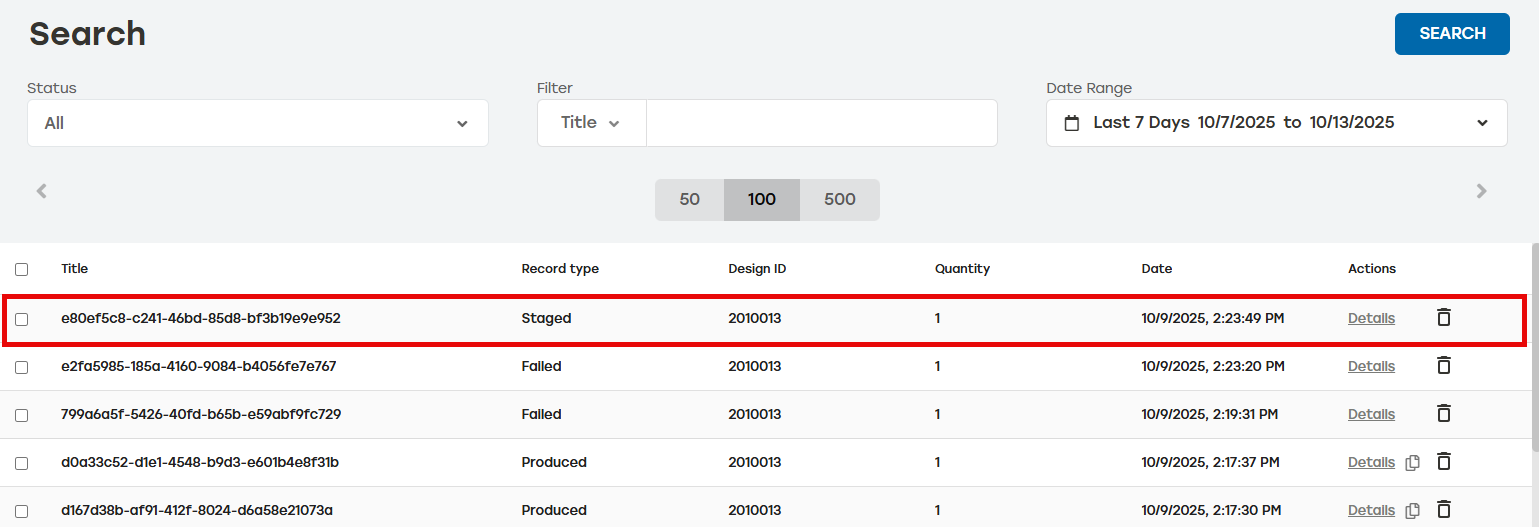
To see whether the API was successful, review the records on the Search page. A successful API ingestion will create a Staged record type.
 |