Planned Production
Planned Production allows users to configure the production hours for each machine in a tenant. A production schedule can be applied for each machine individually at half hour intervals. The schedule can be set once or set as a recurring schedule, however, manually scheduling each day is recommended.
Important
Making changes to a recurring entry will apply those changes to every entry in the series. This includes all historical and future entries. Do not make changes to recurring entries unless those changes apply to every entry.
Users can use Planned Production to identify any breaks or planned downtime in the machine's schedule. When Planned Production is enabled, a schedule must be added or the availability score's accuracy will be impacted in PackNet Report. Without setting a Planned Production schedule, PackNet applies a 24-hour production schedule to availability scores, whether the machine was producing or not. All PackNet Report dashboards apply Planned Production schedules to their scores unless the switch on the top of the dashboards is turned off. Turning the Planned Production switch off for one dashboard turns it off for all dashboards.
Note
Planned Production requires PackNet Report for this feature to work.
Planned Production is found under the Configuration tab.
 |
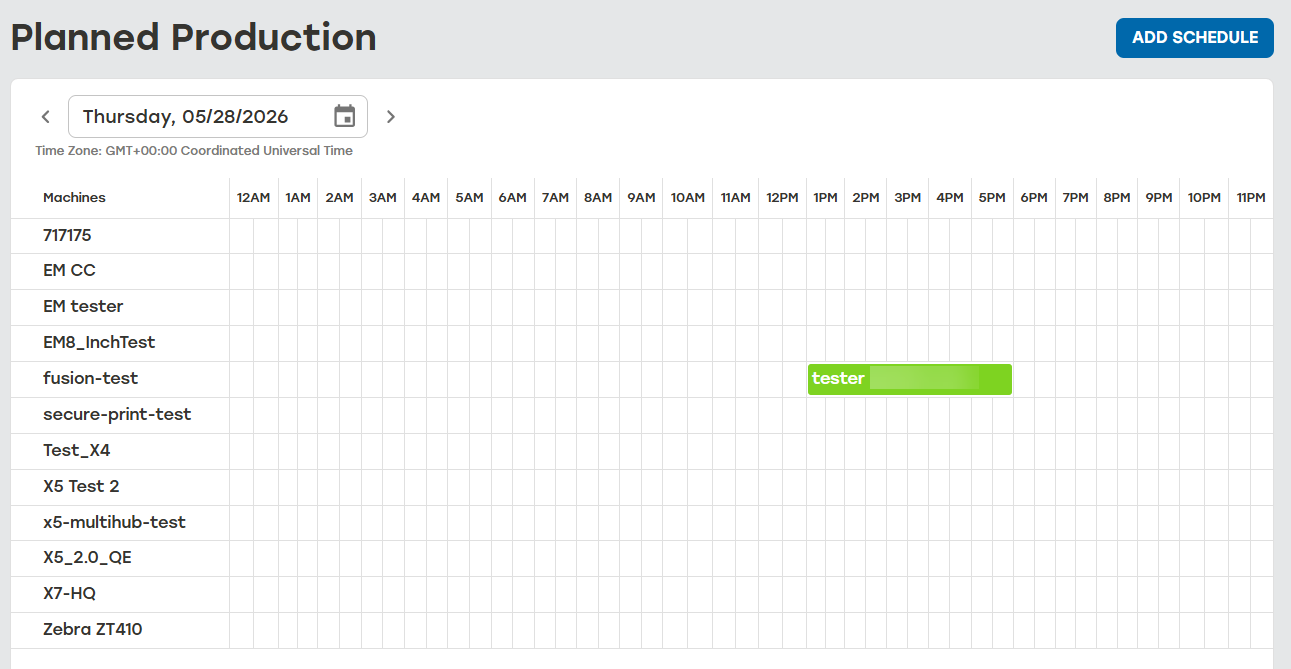
The Planned Production Grid displays all the scheduled Planned Production. The date at the top of the Planned Production Grid shows the date when the production is scheduled to take place. The Machines column lists all the machines available in the tenant.
 |